TOTP codes on the screen
SecTrustKey's OATH application stores TOTP and HOTP accounts, like a YubiKey. Unlike a YubiKey, it can show the codes on its own screen.
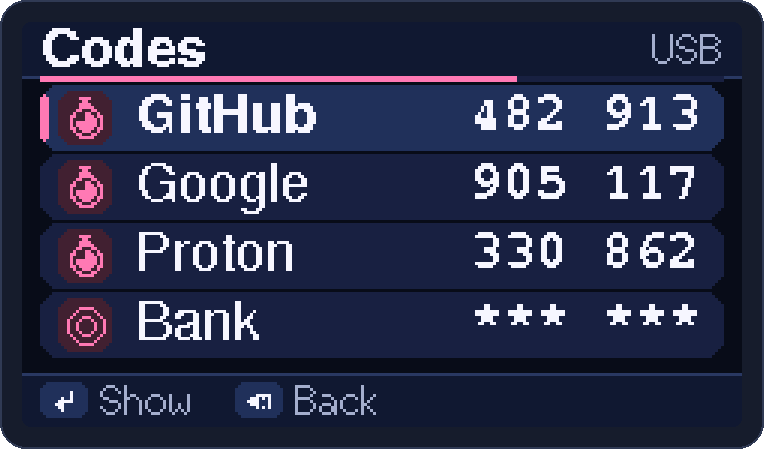
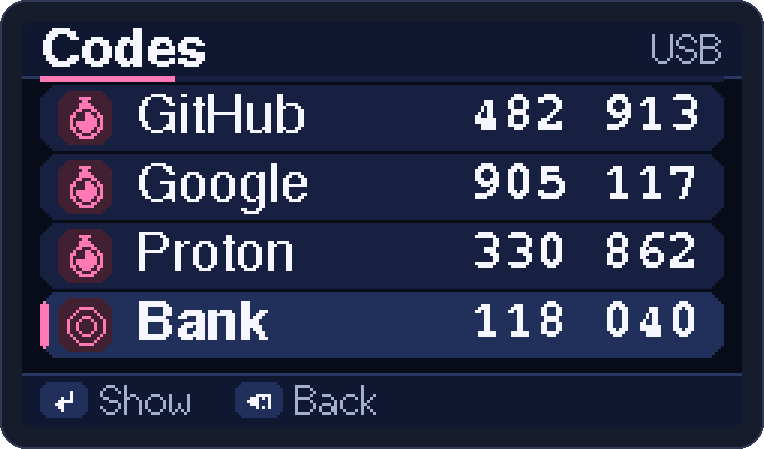
Add accounts
Use any OATH client that talks to a YubiKey-compatible OATH application, for example ykman or Yubico Authenticator:
ykman --reader SecTrustKey oath accounts add --issuer GitHub koustav JBSWY3DPEHPK3PXP
ykman --reader SecTrustKey oath accounts add --touch --issuer Bank savings <SECRET>   # needs Enter to reveal
ykman --reader SecTrustKey oath accounts list
Set the clock
The Cardputer has no battery-backed clock, so after every power-up Codes shows Time not set and no code is computed. Set it on the device under Settings → Clock (v1.2.0 and later). The device restarts into the Clock screen with USB off:
| Item | What it does |
|---|---|
| Sync now | Joins the saved Wi-Fi network, asks a time server, and shows Clock set with the local time |
| Wi-Fi network | Scans and lets you pick a network, type a hidden network's name, or forget the saved one. Choosing a network syncs straight away, which also checks the password |
| Sync at start | After power-up, when the time is unknown, syncs before the key starts. If the network is not there it gives up and starts normally; Del skips it |
| Type the time | Enter YYYY-MM-DD HH:MM in your local time and press Enter as the minute begins. No Wi-Fi needed |
| Time zone | Your offset from UTC, for the status-bar clock and typed times. Left/right moves 15 minutes, up/down one hour |
Press Del to leave; the device restarts and the status bar shows the time. The time then lasts until the power is cut, including the restarts into backup and passphrase screens.
How Wi-Fi is used
Only for the clock, and only in the Clock restart before USB starts. The device restarts again afterwards, so Wi-Fi is never on while the key answers your computer. WPA2 and mixed WPA2/WPA3 networks work (most routers and phone hotspots); WPA3-only networks do not. The network name and password are stored on the device without encryption, like the other settings; a phone hotspot avoids keeping your home password on it.
You can still set the time from a computer with stk-time.py. Codes from ykman oath accounts code never need it, because the computer supplies the time.
Reading codes
- Rows lead with the issuer, and the bar under the title counts down the current 30-second step.
- Move to a touch-only account and press Enter to reveal it, for the current step only.
- HOTP accounts are listed but never computed on screen, since that would advance their counter.
- If the OATH application is protected with a password (
ykman oath access change), codes are not shown on screen, because that would bypass the password.