A security key you can read before you approve
SecTrustKey turns the M5Stack Cardputer ADV into a FIDO2 passkey, an OpenPGP smart card, a PIV card and a TOTP authenticator. Every request appears on its screen with the website and account, and nothing is signed until you press Enter.
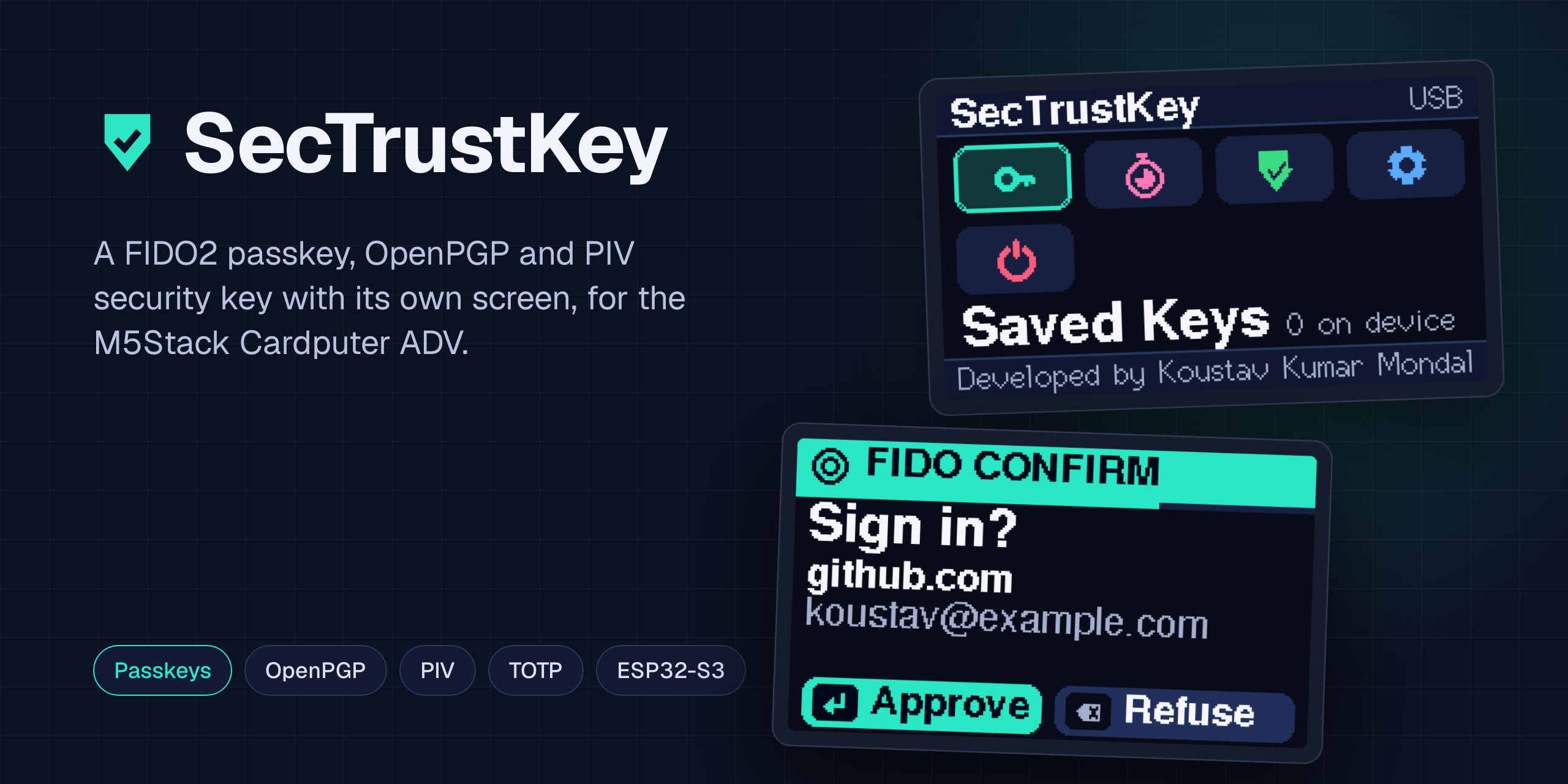
What you can do with SecTrustKey
Passkeys and security-key login
WebAuthn passkeys and FIDO2/U2F login with Ed25519, P-256, P-384 and P-521. The screen names the site and the account. Passkeys →
OpenPGP for GnuPG
Keys generated on the device for signing, encryption and authentication, with Curve25519, RSA, NIST, secp256k1 and Brainpool. OpenPGP →
SSH and Git signing
Use the OpenPGP authentication key for SSH and the signing key for verified Git commits. SSH and Git →
TOTP codes on screen
Live one-time codes with a countdown; accounts that need a touch stay hidden until you press Enter. Codes →
Keys encrypted at rest
An optional startup passphrase seals the master keys with PBKDF2 and AES-256-GCM before USB ever starts. Passphrase →
On the device

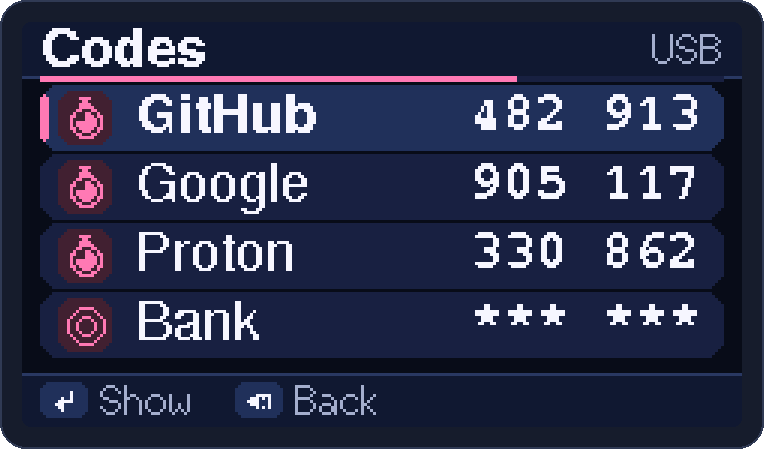
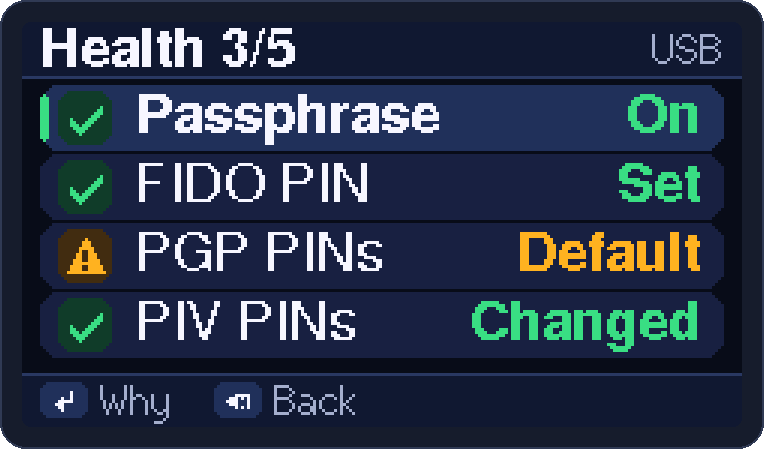
Architecture at a glance
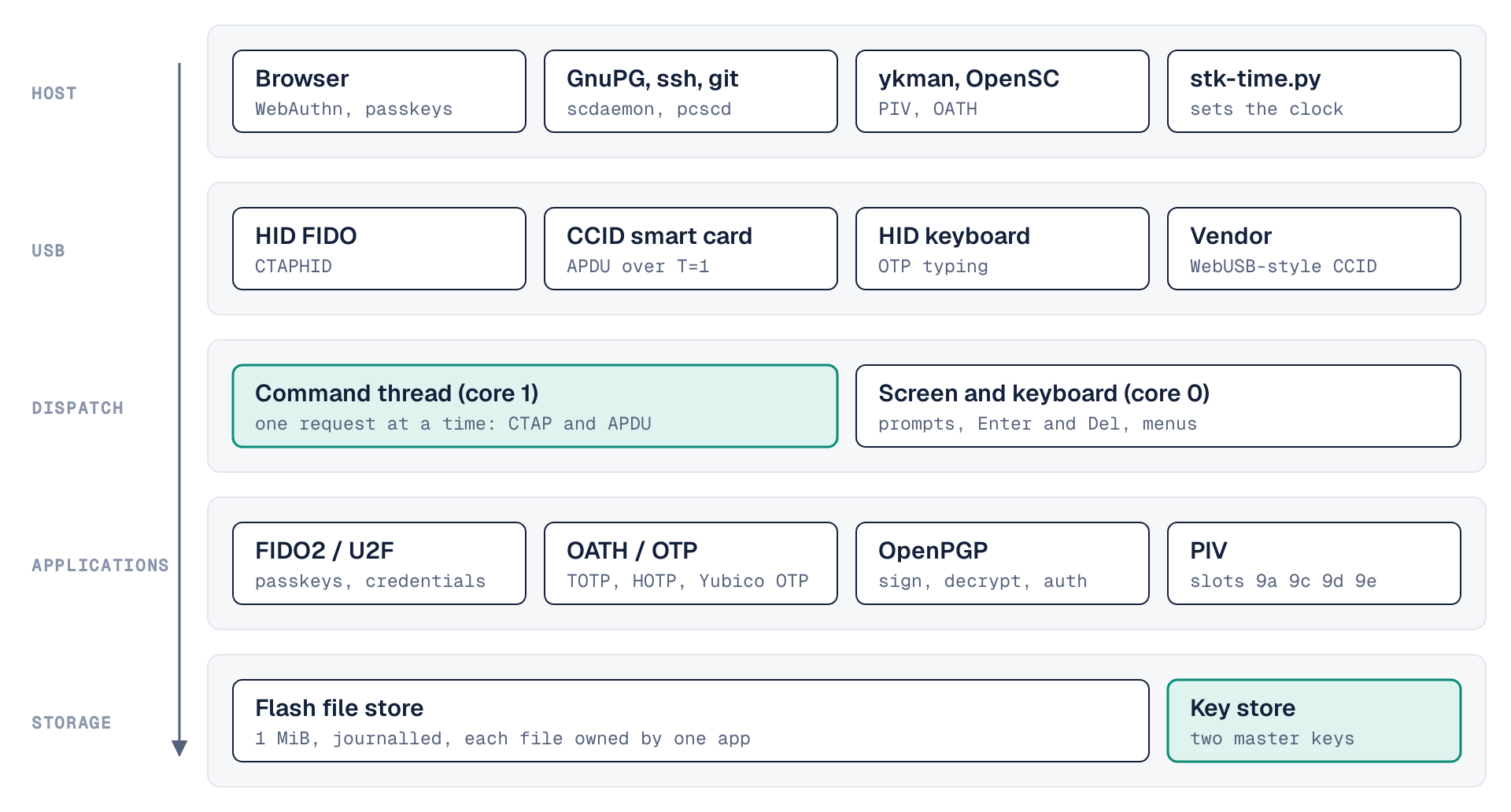
One firmware presents four USB interfaces. Each request runs on a single command thread inside the right application, and anything sensitive waits for a key press on the screen. Read Architecture for the details.
Flash a release
pip install esptool
# Cardputer in download mode: power off, hold G0, plug in USB, release G0
esptool.py --chip esp32s3 --baud 921600 write_flash --erase-all 0x0 sectrustkey-v1.2.1-cardputer-adv.bin
The full walk-through, including a backup of what is on the Cardputer now, is in Install from a release. Already using M5 Launcher? Install the same file from its SD menu and keep your other apps: M5 Launcher and M5Burner.
A microcontroller, not a secure element
Secure Boot and flash encryption are deliberately not enabled, so someone who can read the chip's flash can copy keys that are not protected by a startup passphrase. Read the security model and keep a second authenticator registered for every account that matters.